
Minecraft Note Block Instruments: Every Block and Sound
 By CavePlaysMC, JukeZone owner. Updated , checked against Minecraft 26.3.
A note block's instrument comes from the block directly underneath it. Wood gives bass, gold blocks give bells, clay gives flute, hay bales give banjo, and anything not on the list falls back to harp. Right-clicking the note block changes its pitch, one semitone per click.
Every note block instrument
Here's the full list. Put the block you want under your note block, and the sound comes with it.
| Block under the note block | Instrument |
|---|---|
| Any wood | Bass |
| Stone, ores, terracotta | Bass drum |
| Sand, gravel | Snare |
| Glass | Clicks / hi-hat |
| Gold block | Bells |
| Clay | Flute |
| Packed ice | Chimes |
| Wool | Guitar |
| Bone block | Xylophone |
| Iron block | Iron xylophone |
| Soul sand | Cow bell |
| Pumpkin | Didgeridoo |
| Emerald block | Bit |
| Hay bale | Banjo |
| Glowstone | Pling |
| Anything else | Harp |
That's 16 instruments from blocks underneath, plus mob sounds from heads on top (more on that below).
A few tips that save time:
- A drum kit uses three blocks. Stone, sand and glass give you a bass drum, snare and hi-hat.
- Melody has lots of options. Bells, flute, chimes, guitar, xylophone, banjo and pling all come from a single block swap.
- Harp is the default. If you hear harp when you wanted something else, check the block underneath. It's probably not on the list.
How to make a note block
Put 8 planks (any wood) around 1 redstone dust in a crafting table. That's it. You can hear a note block up to 48 blocks away, so keep your listening spot inside that range.
How note block pitch works
Every right-click on a note block raises its pitch by one semitone. After 24 clicks you've climbed two full octaves, and the 25th click wraps the note back around to the start.
For the harp, the range runs from F#3 at 0 clicks to F#5 at 24 clicks. Since 24 clicks is two octaves, 12 clicks lands you exactly one octave above the starting note.
| Clicks | Where you are |
|---|---|
| 0 | Lowest note (F#3 on harp) |
| 12 | One octave up |
| 24 | Two octaves up (F#5 on harp) |
| 25 | Wraps back around |
If you overshoot, don't break the block. Just keep clicking until it wraps around and count up again.
Note block mob heads
Since 1.20, putting a mob head on top of a note block swaps the instrument for that mob's sound. These heads work:
- Zombie head
- Skeleton skull
- Creeper head
- Wither skeleton skull
- Piglin head
- Dragon head
The head goes on top and the instrument block goes underneath. When both are there, you get the mob's sound, not the instrument.
A first tuning drill: three octaves of one note
Before you try a full song, learn to tune by counting clicks. This drill uses the only notes you can place without any music theory: the same note in three octaves.
- Place three note blocks in a row on wool, so they play guitar.
- Leave the first block alone (0 clicks).
- Right-click the second block 12 times. It's now one octave up.
- Right-click the third block 24 times. It's now two octaves up.
- Label them with signs (low, mid, high) so you don't lose track.
Now break the wool and put a gold block under each one for bells, or clay for flute. Try every row of the instrument table until you know which sounds you like. Once counting clicks feels natural, you're ready to tune the notes for a real tune.
Build ideas with note blocks
Note blocks shine when you treat them like a band:
- Rhythm section: a bass drum on stone, a snare on sand and a hi-hat on glass.
- Bass line: note blocks on wood.
- Lead: bells, flute or pling on top.
- Mob choir: a row of note blocks wearing different mob heads for a spooky build.
If you want music that plays a full recorded track instead, that's a jukebox job. Our guide on how to make a jukebox and what it can do covers the recipe. The jukebox comparator signal guide shows the signal each disc gives, so you can hook a jukebox into your redstone builds.
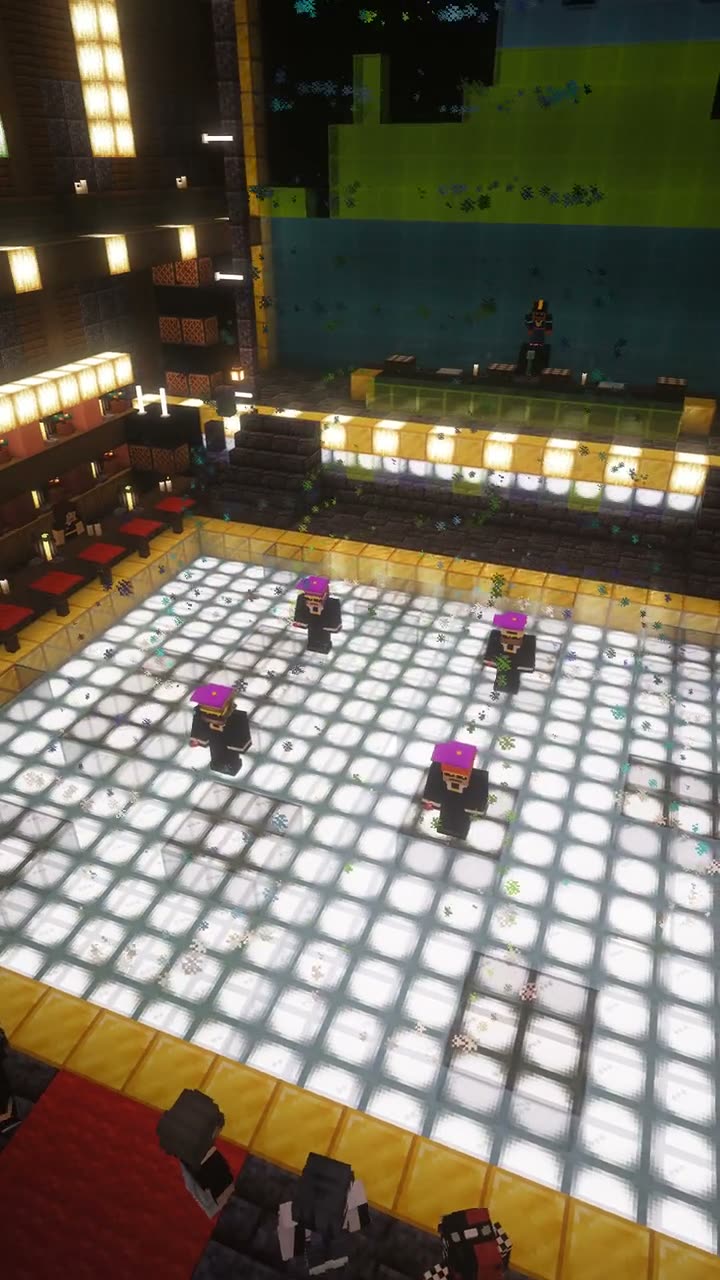 The dance floor and DJ booth inside the giant jukebox, filmed on JukeZone.
On JukeZone, music is the whole theme. The spawn nightclub sits inside a giant jukebox, and DJ JUKE takes song requests. If you're designing your own music room, our nightclub build ideas pair well with a note block stage, and you can see the club in motion in the JukeZone gallery.
Common note block mistakes
- Wrong block underneath. Grass and dirt aren't on the list, so they play harp. That's fine for melody but not for drums.
- Lost count while tuning. The 25th click wraps back around. Keep counting from there instead of breaking the block.
- Listening from too far away. Past 48 blocks you won't hear anything, so test your music from where players will actually stand.
- Mob head in the way. A head on top overrides the instrument. Take it off if you want the instrument back.
Questions people ask
How do you change a note block's instrument?
Change the block directly under it. Wood gives bass, gold blocks give bells, clay gives flute, and any block not on the list gives the default harp.
How many notes can a note block play?
Each right-click raises the pitch one semitone. 24 clicks cover two full octaves (F#3 to F#5 for the harp), and the 25th click wraps back around.
What mob heads work on note blocks?
Since 1.20, a zombie, skeleton, creeper, wither skeleton, piglin or dragon head placed on top makes the note block play that mob's sound instead of an instrument.
How far away can you hear a note block?
A note block can be heard up to 48 blocks away. A jukebox carries further, up to 64 blocks.
What makes the banjo sound on a note block?
Put a hay bale under the note block. Hay bales give the banjo sound.